
LinkedIn should be your nonprofit’s primary channel for major-donor engagement, corporate partnerships, and board recruitment — not a secondary broadcast feed you update when time allows. Most nonprofits are active on LinkedIn, yet most treat it like a press release board rather than a relationship-building infrastructure. That gap is where real fundraising opportunity lives. Start here: claim your LinkedIn Page, optimize your executive and board profiles, and commit to a 90-day outreach cadence before anything else.
Quick delegation checklist:
- Claim and fully complete your LinkedIn Organization Page
- Audit CEO, Executive Director, and board member profiles
- Enable the “Notify employees” feature for every new post
- Set up Sales Navigator and connect it to HubSpot
- Define three outcome KPIs before Week 3 (meetings booked, introductions made, board leads)
Table of Contents
- Why LinkedIn works differently for U.S. nonprofits
- What to set up first on LinkedIn
- Your 90-day LinkedIn action plan
- How to identify and engage major donors, corporate sponsors, and board prospects
- Outcome-focused KPIs your board actually cares about
- Common LinkedIn mistakes nonprofits make and quick fixes
- Advanced features worth the investment (and when to hold off)
- U.S. fundraising compliance and privacy basics on LinkedIn
- Key Takeaways
- What the conventional wisdom on nonprofit LinkedIn gets wrong
- Americannexusmarketing helps nonprofits turn LinkedIn into a fundraising pipeline
- Useful sources and further reading
- FAQ
Why LinkedIn works differently for U.S. nonprofits
Facebook and Instagram reach the broadest donor demographics, but LinkedIn’s engagement rate for nonprofits is 1.91%, which is significantly higher than Facebook’s, reflecting a structural difference between the platforms. That gap reflects a structural difference: LinkedIn’s professional graph surfaces CSR directors, foundation managers, and corporate sponsors who are actively looking for credible partners. No other platform gives you that warm-introduction infrastructure at scale.
LinkedIn also maps cleanly to the specific goals that move your fundraising needle: LinkedIn Pages build organizational credibility, Sales Navigator powers targeted prospect research, LinkedIn Events convert professional audiences into booked meetings, and LinkedIn Newsletters build a recurring touchpoint with high-value contacts. Platforms like Facebook and Instagram perform differently — they excel at recurring donor cultivation and community engagement, but corporate partnership development belongs on LinkedIn.
Pro Tip: Before you post a single piece of content, confirm that your CEO’s LinkedIn headline reads as a mission statement, not a job title. “Executive Director, [Org Name]” is a missed opportunity. “Connecting corporate leaders to workforce equity solutions | [Org Name]” opens conversations.

What to set up first on LinkedIn
Claim and optimize your LinkedIn Organization Page before anything else — many nonprofits have auto-generated, unclaimed pages already indexed on the platform. Once claimed, complete every field: logo, cover image, a mission-focused About section with measurable impact data, and a clear call to action.
Priority setup checklist:
- Page: Upload branded visuals, write an About section with program outcomes and a donation or contact CTA
- Executive profiles: CEO, ED, development director, and at least two board members must list the org correctly and carry mission-aligned headlines
- Employee advocacy: Enable “Notify employees” for every post and supply staff with two or three reusable comment templates
- Tools: Apply for LinkedIn’s nonprofit discounts on Sales Navigator, LinkedIn Learning, and Talent products
- KPIs: Define outcome metrics now — meetings booked, qualified introductions, board/staff applications — not follower counts
Your 90-day LinkedIn action plan
The schedule below assumes a team of one to three people managing LinkedIn alongside other responsibilities. Adjust posting volume based on your follower size: 2–4 posts per week is the standard guidance for most nonprofit pages.
| Phase | Weeks | Key Deliverables |
|---|---|---|
| Setup | 1–2 | Claim Page, audit profiles, configure HubSpot tracking, build content bank of 2–4 posts |
| Launch | 3–6 | Post 2–4x/week, build Sales Navigator prospect lists, send 5–10 outreach messages/week |
| Convert | 3–4 | Host LinkedIn Event or Live, launch Newsletter, convert warm responses to meetings |
| Analyze | 4–5 | Review KPIs vs. targets, scale what yielded meetings, decide on Ads or agency support |
Sample weekly content calendar (Weeks 3–6):
- Monday: Impact story post (program outcome with a data point)
- Wednesday: Thought leadership post from the CEO or ED (200–300 words)
- Friday: Partner spotlight or board member feature
- Ongoing: Five targeted Sales Navigator connection requests with personalized one-line notes
For warm outreach, keep messages under 75 words. Lead with a mutual connection or shared interest, name the mission in one sentence, and close with a single low-friction ask: a 20-minute call or a resource share, not a donation request.
How to identify and engage major donors, corporate sponsors, and board prospects
Sales Navigator is the operational core of LinkedIn prospecting for nonprofits. Build targeted lists by filtering on industry, seniority level, geographic area, and keywords like “corporate social responsibility” or “foundation.” Once you have a list, the workflow is straightforward:
- Identify second-degree connections you share with a prospect and request a warm introduction through the mutual contact.
- Engage the prospect’s content with a substantive comment before sending any direct message.
- Send a concise, mission-focused connection request (no pitch in the first message).
- After connecting, share one relevant resource or impact report before making any ask.
- Tag the contact in HubSpot with a LinkedIn source label and move them into the appropriate pipeline stage.
For corporate partners specifically, use cobranded posts and executive-level tagging to signal the relationship publicly. Private LinkedIn Events work well for exclusive partner briefings that feel high-touch without requiring travel.
Pro Tip: Track comments and introductions in your CRM weekly. A prospect who comments on three consecutive posts is a warmer lead than someone who accepted your connection request six months ago and never engaged. Prioritize accordingly.
Outcome-focused KPIs your board actually cares about
Follower counts and post impressions are secondary signals. The metrics that justify LinkedIn investment to a board or major donor are relationship outcomes.
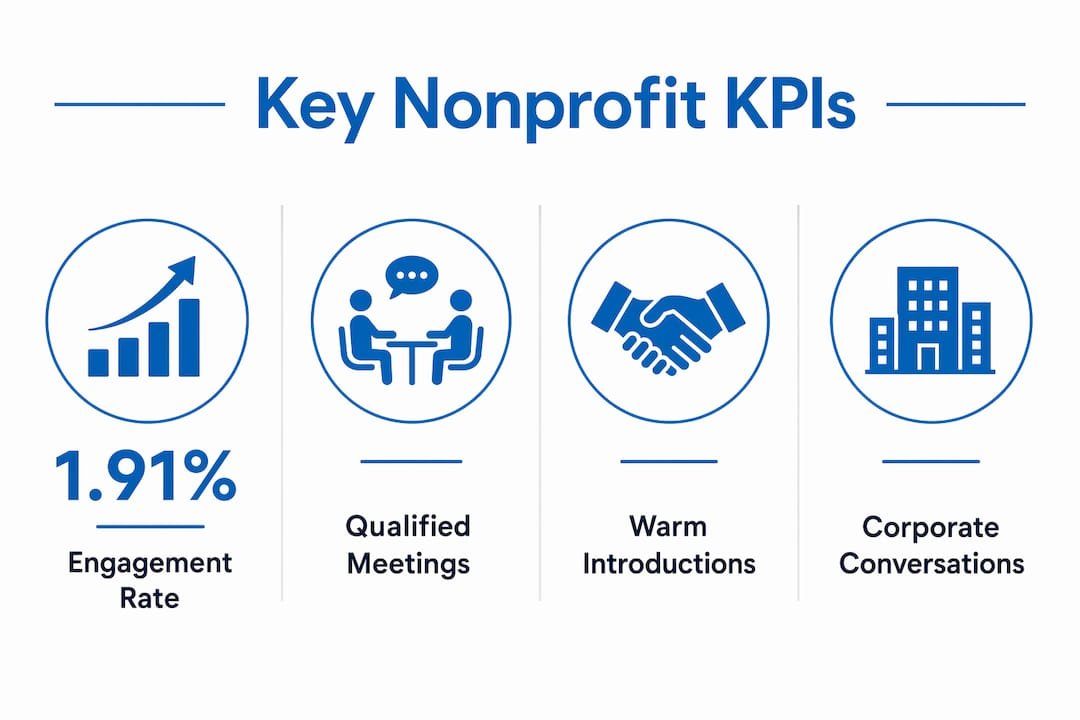
| Metric | Definition | Frequency | Owner |
|---|---|---|---|
| Qualified meetings booked | Calls/meetings with prospects from LinkedIn outreach | Weekly | Development Director |
| Warm introductions made | Mutual-connection intros to target donors or partners | Monthly | CEO / ED |
| Partnership conversations started | First substantive exchange with a corporate prospect | Monthly | Development Director |
| Board/staff leads | Qualified candidates sourced from LinkedIn | Per search cycle | HR or ED |
| Newsletter signups from LinkedIn | New subscribers attributed to LinkedIn content | Monthly | Marketing Lead |
Connect these metrics to HubSpot pipeline stages so every LinkedIn-sourced contact has a clear status: prospect, engaged, meeting booked, or proposal sent. That attribution makes the ROI case for continued investment concrete and auditable.
Common LinkedIn mistakes nonprofits make and quick fixes
Most nonprofit LinkedIn failures trace back to four predictable errors:
- Broadcasting instead of cultivating: Posting press releases and event announcements with no engagement strategy. Fix: shift to executive-authored thought leadership and impact narratives that invite comments.
- Ignoring staff and board profiles: An organization page with 500 followers loses reach when board members list outdated employers. Fix: run a 30-minute profile update session at your next board meeting and supply a one-page profile guide.
- Measuring vanity metrics: Reporting follower growth to the board signals activity, not outcomes. Fix: replace the follower chart with a meetings-booked and introductions-made report.
- Cold, long outreach messages: A 200-word cold pitch to a foundation director gets ignored. Fix: warm the relationship through content engagement first, then send a single-sentence connection request.
Advanced features worth the investment (and when to hold off)
LinkedIn Ads and Lead Gen Forms can be expensive, and most nonprofits should not run paid campaigns until organic content is producing consistent engagement and Sales Navigator outreach is yielding meetings. When you do test Ads, track cost per qualified meeting, not cost per click.
LinkedIn Newsletters convert well for nonprofits because subscribers opt in and receive direct notifications. Use a newsletter to publish monthly impact updates and partner spotlights, then move engaged readers into a HubSpot nurture sequence via email campaign workflows. LinkedIn Live and LinkedIn Events are effective for converting professional audiences into booked meetings — a 45-minute virtual briefing for corporate partners consistently outperforms a cold outreach sequence.
The Sales Navigator to HubSpot integration is the highest-leverage technical setup available. It lets you export warm-lead signals directly into your fundraising pipeline, assign follow-up tasks, and attribute revenue to specific LinkedIn activities.
Pro Tip: Run A/B tests on LinkedIn Ads with a minimum of two creative variants and a two-week window before drawing conclusions. Test audience segments, not just creative. A CSR director at a $500M company and a program officer at a community foundation require different messages even if both are “corporate prospects.”
U.S. fundraising compliance and privacy basics on LinkedIn
Any solicitation made through LinkedIn must align with your organization’s donor acknowledgment policies and applicable state charitable solicitation registration requirements. When a prospect expresses interest or makes a pledge via LinkedIn message, document the exchange in your CRM immediately and issue a formal acknowledgment through your standard gift-processing workflow.
Before adding a LinkedIn contact to any email list or CRM sequence, record their consent explicitly. A connection request acceptance is not consent to receive fundraising appeals. Ask directly in your follow-up message whether they would like to receive your newsletter or impact updates, and log that response in HubSpot.
Pro Tip: Involve your development director and, for paid ad campaigns targeting donor acquisition, your legal counsel before launching. LinkedIn Ads that solicit donations may trigger state registration requirements in jurisdictions where your organization is not yet registered.
Key Takeaways
LinkedIn’s 1.91% engagement rate for nonprofits, combined with its professional graph, makes it the highest-ROI channel for major-donor cultivation, corporate partnerships, and board recruitment when you measure meetings and introductions rather than followers.
| Point | Details |
|---|---|
| Claim your Page first | Audit for auto-generated pages before creating a new one; complete every field with impact data and a CTA. |
| Activate executive profiles | CEO and board member profiles drive more reach than the organization page alone; update headlines to mission statements. |
| Run the 90-day plan | Follow the four-phase schedule: setup, launch, convert, analyze — with 2–4 posts per week and weekly outreach. |
| Track outcome KPIs | Report meetings booked, warm introductions, and partnership conversations to your board, not follower counts. |
| Americannexusmarketing for implementation | Americannexusmarketing provides CRM integration, LinkedIn strategy, and HubSpot setup for nonprofits ready to operationalize this playbook. |
What the conventional wisdom on nonprofit LinkedIn gets wrong
Most guides tell nonprofits to “be consistent” and “post valuable content.” That advice is not wrong, but it misses the more important structural point: LinkedIn is a B2B development channel, and the organization page is not the primary lever. Executive and board profiles are.
When a foundation director searches for a nonprofit leader to invite to a roundtable, they search people, not pages. When a CSR director considers a partnership, they look at the CEO’s profile before they look at the organization’s feed. Staff advocacy, when activated with clear templates and a “Notify employees” workflow, consistently outperforms page-only strategies because it distributes reach through trusted personal networks rather than a corporate broadcast.
The second underestimated point: most nonprofits measure LinkedIn success too early and with the wrong metrics. Follower growth in the first 90 days is nearly meaningless. What matters is whether your Sales Navigator outreach is producing responses, whether those responses are converting to calls, and whether those calls are entering your HubSpot pipeline. That is the measurement discipline that separates organizations using LinkedIn as a development channel from those using it as a bulletin board.
Americannexusmarketing helps nonprofits turn LinkedIn into a fundraising pipeline
Most nonprofits have the mission. What they lack is the infrastructure to convert LinkedIn activity into tracked, attributable development outcomes. Americannexusmarketing builds that infrastructure: CRM integration via HubSpot, LinkedIn content strategy, Sales Navigator setup, staff advocacy activation, and paid campaign management for organizations ready to scale.
An initial engagement typically begins with a LinkedIn and CRM audit, followed by a 30–60 day setup phase that delivers a configured HubSpot pipeline, an optimized Page and executive profile suite, and a content calendar with outreach templates. The result is a system your development team can run, not a dependency on an agency indefinitely. If you are ready to treat LinkedIn as a revenue-generating channel rather than a communications task, request a nonprofit LinkedIn audit or book a 30-minute discovery call with our team.
Useful sources and further reading
- LinkedIn for Nonprofits: Free Features Guide (Candid)
- 10 LinkedIn Best Practices for Nonprofits (Nonprofit Tech for Good)
- LinkedIn Pages Best Practices (LinkedIn Business)
- LinkedIn for Nonprofits: Complete Guide (Charity Charge)
- Social Media for Nonprofits: Platform Benchmarks
- Americannexusmarketing CRM Integration Services
- Americannexusmarketing SEO Consulting for Mission-Driven B2B
- Americannexusmarketing Content Creation Services for Nonprofits
FAQ
What is the best LinkedIn feature for nonprofit fundraising?
Sales Navigator is the most direct fundraising tool because it lets you build targeted prospect lists by industry, title, and geography, then track outreach in a connected CRM like HubSpot.
How often should a nonprofit post on LinkedIn?
Post 2–4 times per week depending on your follower size; consistency matters more than volume, and executive-authored posts typically outperform organization-page-only content.
Can nonprofits get LinkedIn products at a discount?
Yes. LinkedIn offers discounted access to Sales Navigator, LinkedIn Learning, and Talent tools for eligible nonprofits through its nonprofit program.
What KPIs should nonprofits track on LinkedIn?
Track qualified meetings booked, warm introductions made, and corporate partnership conversations started. Follower counts and impressions are secondary to these relationship-outcome metrics.
When should a nonprofit hire an agency for LinkedIn?
Consider agency support when your team lacks capacity to run consistent outreach and content, or when you need HubSpot integration and attribution tracking that exceeds in-house technical skills. Americannexusmarketing offers nonprofit-specific LinkedIn strategy and CRM setup for organizations at that stage.