
Small Team CRM Guide: Free and Cheap Tools That Actually Work
The Best CRM for Small Teams in 2026: Free and Cheap Tools That Actually Work
Finding the right crm for small team use doesn’t have to mean paying enterprise prices or spending weeks on setup. Here are the best options available right now:
Top CRM picks for small teams in 2026:
- Less Annoying CRM – $15/user/month, flat rate, no contracts
- Zoho CRM / Bigin – Free tier up to 3 users, 5,000 records
- MiniCRM – AI-assisted setup in under 10 minutes
- Zayda – AI-powered lead response, free to start
- Goldilocks CRM – Free starter plan, 50 contacts, 30 deals
- HubSpot CRM – Free tier, 2 users, 1,000 contacts
- Tower CRM – One-click industry setup, free trial
Most small teams start the same way: a spreadsheet, a notebook, maybe a few sticky notes on the monitor. It works — until it doesn’t.
You miss a follow-up. You forget a customer’s name. A hot lead goes cold because it got buried in your inbox.
That’s not a discipline problem. It’s a systems problem.
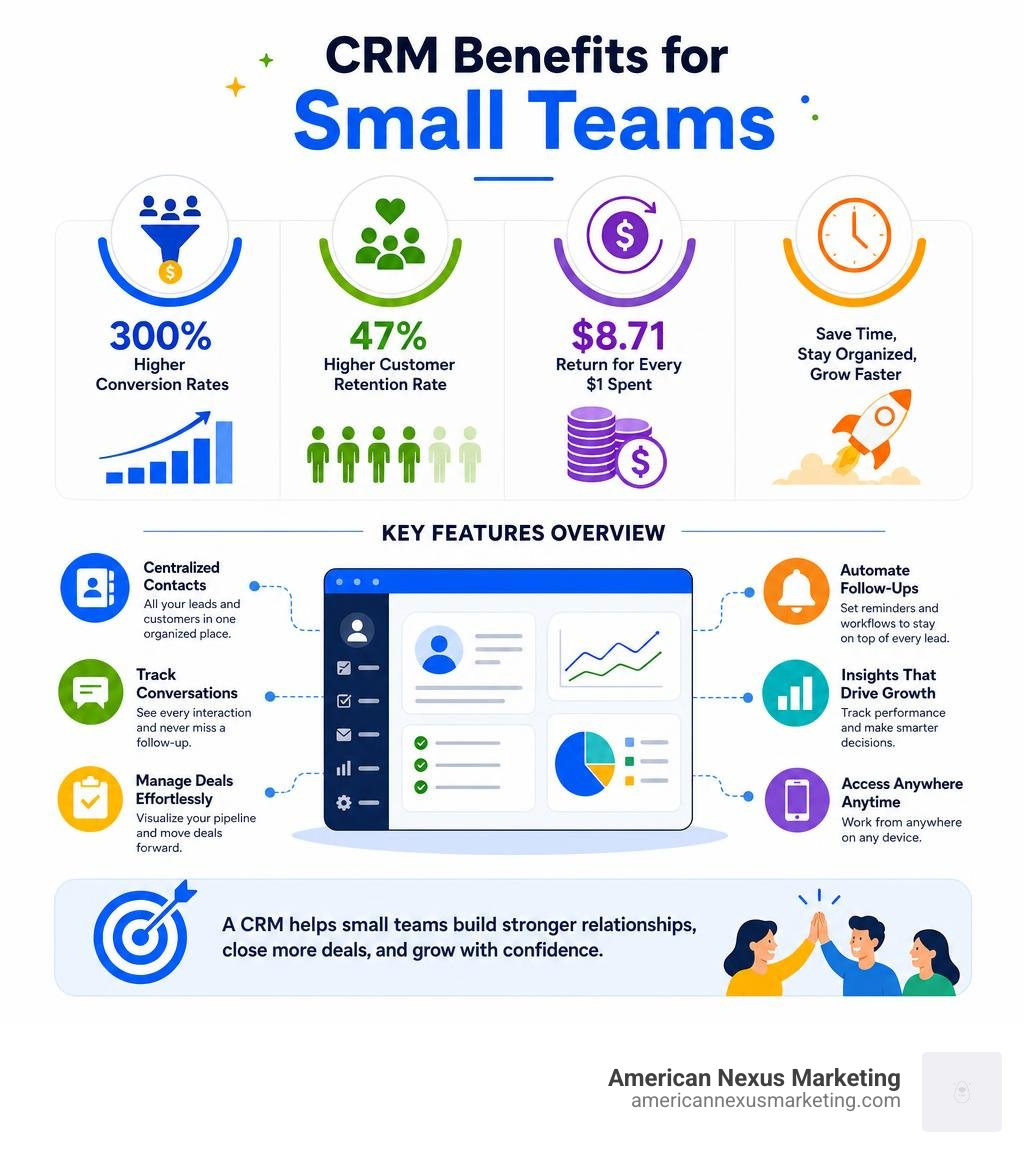
A CRM (Customer Relationship Management tool) solves this by putting every contact, conversation, and next step in one place. And the numbers back it up: businesses using a CRM see up to a 300% increase in conversion rates and a 47% higher customer retention rate — while getting roughly $8.71 back for every $1 spent.
For a small team wearing five hats at once, that kind of leverage matters.
This guide cuts through the noise. We’ll show you exactly which free and low-cost CRM tools are worth your time, what features actually matter for a small team, and how to get up and running fast — without needing an IT department.
Why a CRM for Small Team Workflows is Essential
In the United States, small businesses represent 99% of all companies and generate 54% of all sales. Yet, many of these businesses operate with a tiny crew. When you are running a small team, your most valuable asset is time.
Without a dedicated system, customer relationships suffer. Conversations get siloed in individual email inboxes, status updates require internal meetings, and nobody has a clear picture of the sales pipeline.
A crm for small team use acts as a single source of truth. Instead of hunting through sent folders to remember what you promised a client, any team member can open a contact profile and see the entire chronological history of emails, calls, notes, and deals. This shared visibility prevents embarrassing duplicate outreach and ensures that no lead falls through the cracks.
Key Features of a CRM for Small Team Success
When you are a small team, you do not need enterprise-grade data mining or predictive modeling. You need tools that make your daily work easier. Here are the non-negotiable features to look for:
- Contact Management: A clean, searchable database that stores phone numbers, emails, physical addresses, and custom fields tailored to your business model.
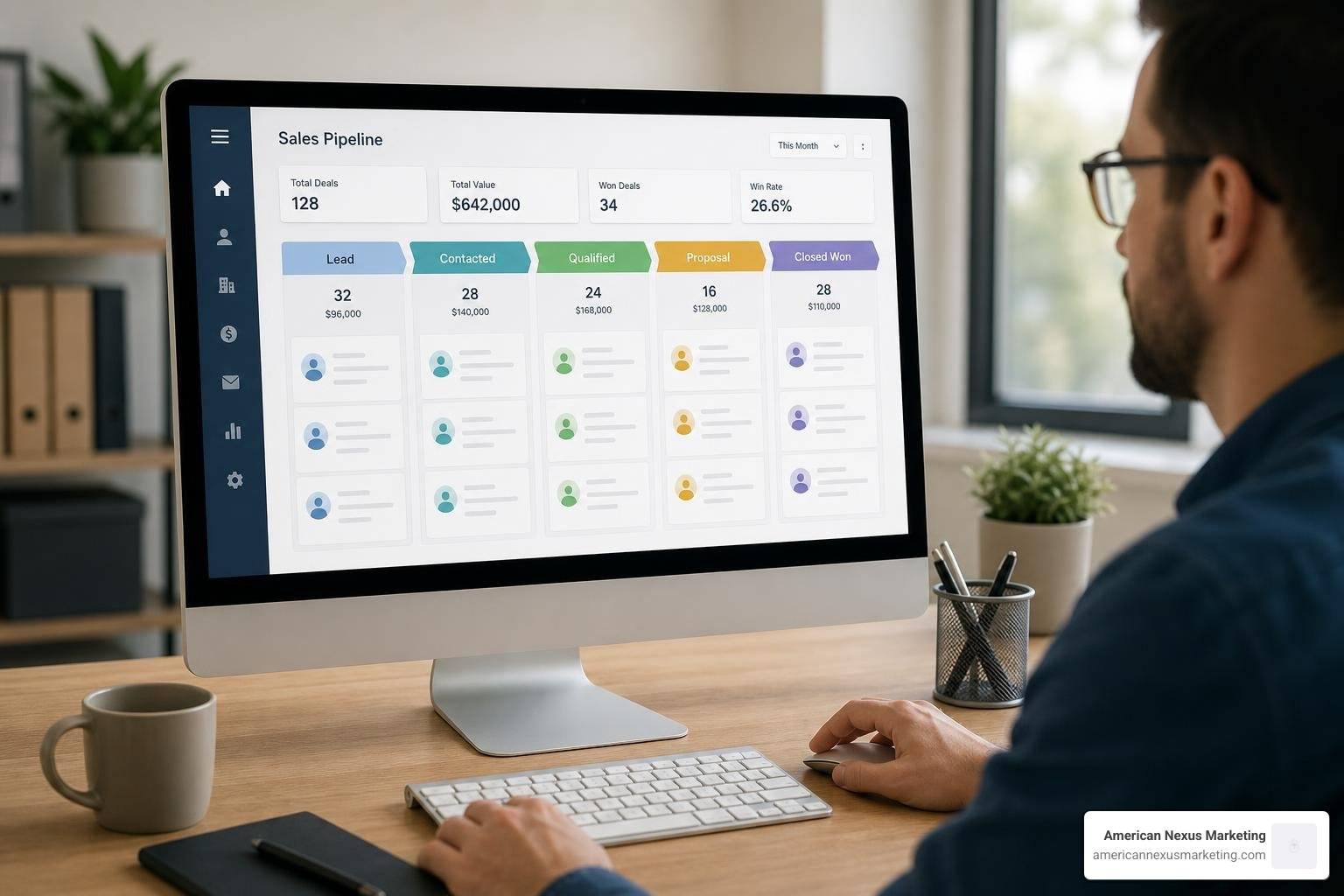
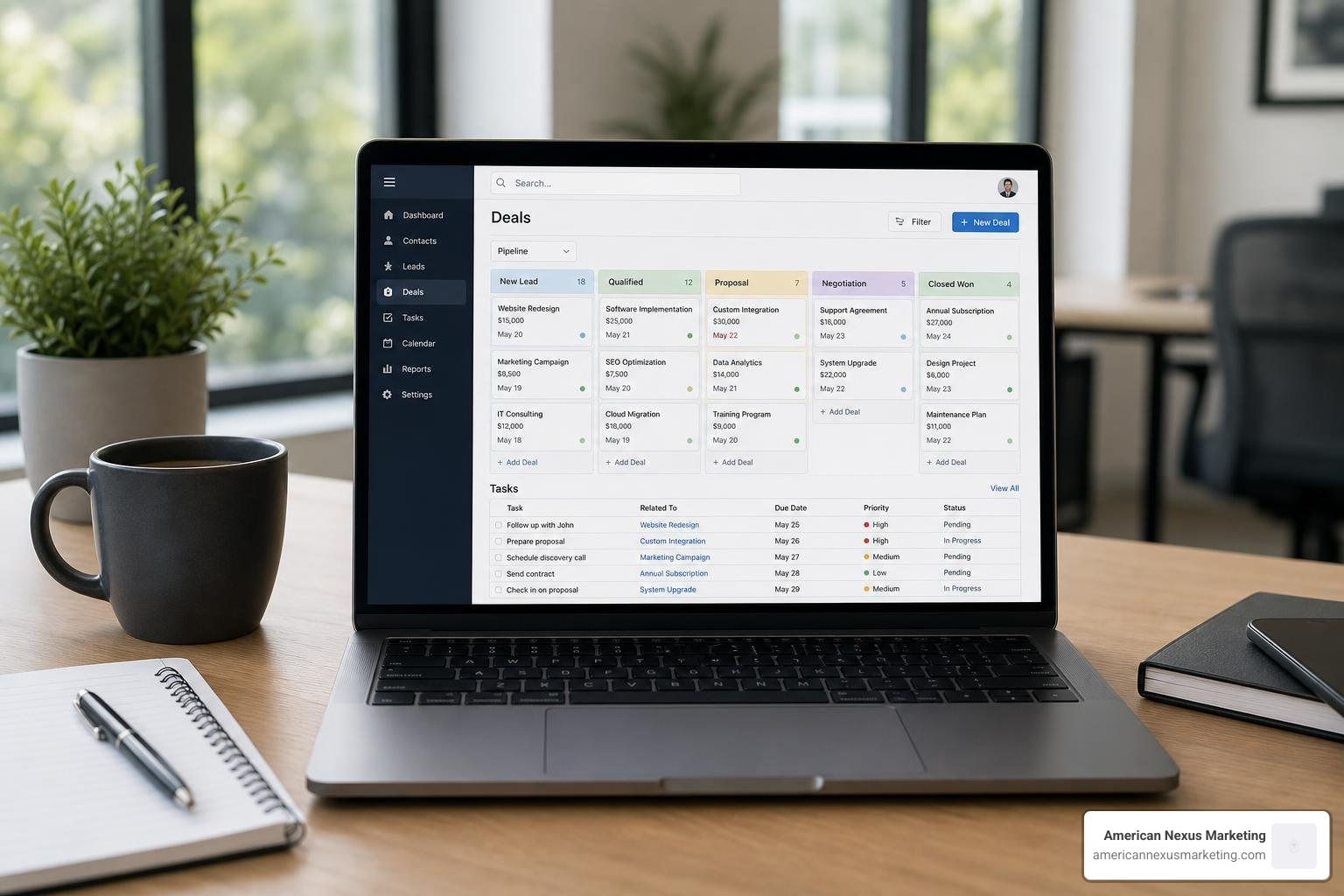
- Lead Tracking and Pipeline Visualization: A visual board (often a Kanban drag-and-drop view) that shows exactly where every deal stands, from “New Lead” to “Proposal Sent” to “Won.”
- Task Automation: The ability to automatically schedule follow-up tasks, send quote reminders, and trigger internal alerts.
- Mobile Access: A fully functional mobile app so field reps or traveling founders can log meeting outcomes, update contact details, and view deals on the go.
- 360-Degree Customer View: A consolidated timeline showing every touchpoint—emails, calendar events, notes, and messages—in one place.
Driving Sales Conversions and Customer Retention
The financial impact of implementing a CRM is immediate and measurable. First, let’s talk about customer acquisition versus retention. Industry data shows that acquiring a new customer costs 6 to 20 times more than retaining an existing one.
By utilizing a CRM to track client satisfaction, schedule regular check-ins, and automate renewal reminders, you protect your current book of business. A 47% increase in customer retention translates directly to your bottom line without increasing your marketing spend.
Furthermore, a CRM drives sales conversions by standardizing your process. When a lead arrives, the system ensures an immediate response. If a quote is sent, the CRM schedules an automatic follow-up before the offer expires. This systematic approach is what drives the average 300% boost in conversion rates. You aren’t working harder; you are simply ensuring that every opportunity is fully realized.
How to Choose, Integrate, and Maintain Your CRM
Choosing a CRM is not about finding the platform with the most features; it is about finding the one that your team will actually use. Many small businesses make the mistake of purchasing complex enterprise systems, only to abandon them three months later because they are too difficult to navigate.
Simple vs. Complex CRMs: Finding the Sweet Spot
To help you visualize the choice, we have broken down the core differences between simple and complex systems:
| Feature | Simple CRMs | Complex CRMs |
|---|---|---|
| Primary Focus | Core contact, lead, and deal management | Advanced marketing automation, deep analytics |
| Setup Time | 10 minutes to a few hours | Weeks to months (often requires consultants) |
| Learning Curve | Extremely low; intuitive interfaces | High; requires formal staff training |
| Feature Bloat | Low; only essential tools are visible | High; hundreds of unused enterprise features |
| Pricing Model | Flat-rate or affordable per-user tiers | Expensive tiers, hidden add-ons, annual contracts |
Simple CRMs focus on usability. They are designed for real business owners, not IT departments. They eliminate “CRM dread” by keeping the interface clean and the workflows instinctive.
Integrating Your CRM with Existing Workflows
A CRM should not be an isolated island. To maximize its value, it must connect seamlessly with the tools your team already uses every day.
When setting up your system, prioritize these key integrations:
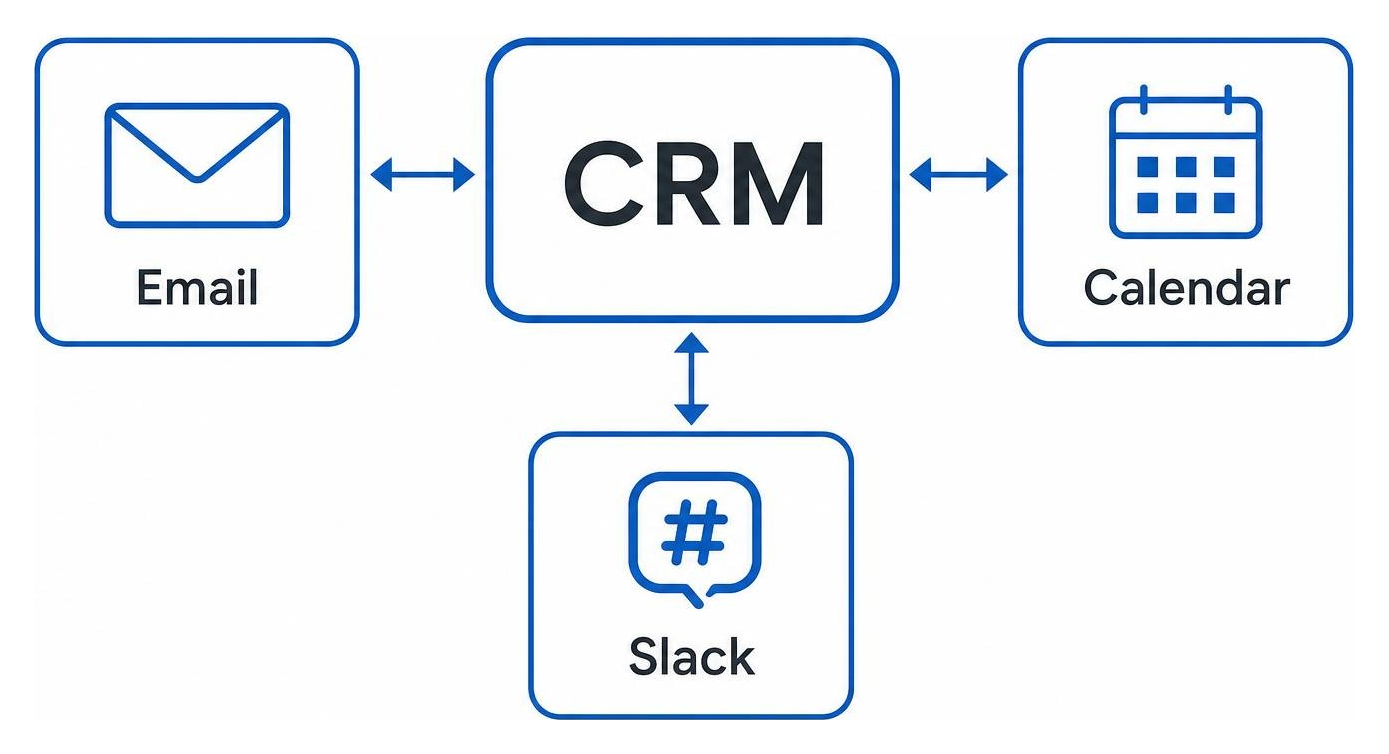
- Email and Calendar Sync: Connect your Google Workspace or Microsoft account. This allows the CRM to automatically log sent and received emails in the customer’s timeline and sync your schedule so you never miss a meeting.
- Accounting Software: Integrating tools like Xero allows you to connect purchase history with customer profiles. This reveals your most profitable clients and highlights perfect cross-selling opportunities.
- Team Communication: Connecting your CRM to Slack or Microsoft Teams ensures that your group receives real-time alerts when a new lead arrives or a major deal closes.
- Zapier: A CRM that plays nice with Zapier can connect to over 8,000 external applications, allowing you to build custom automations without writing a single line of code.
Maintaining Data Quality and Overcoming Adoption Challenges
The greatest threat to a new CRM is bad data. If your team stops logging interactions or inputs incorrect information, the system quickly becomes useless. To prevent this, implement these three simple rules:
- The 24-Hour Logging Rule: All team members must log meeting outcomes, phone call notes, and deal updates within 24 hours of the interaction. This keeps data fresh and accurate.
- Monthly Email Verification: Run a quick monthly check to verify customer email addresses and clean out bounce-backs to maintain your sender reputation.
- Clean Before You Migrate: If you are transitioning from spreadsheets to a CRM, take the time to clean your data first. Remove duplicates, fix misspellings, and archive old contacts. Importing clean data prevents immediate data entry fatigue.
The Best Free and Cheap CRM Tools for Small Teams
Now let’s look at the top CRM tools specifically built with small teams, solo founders, and budget-conscious businesses in mind.
MiniCRM: AI-Assisted Onboarding for Rapid Setup
If you want a system that configures itself, MiniCRM is an incredibly smart choice. Designed to eliminate manual setup headaches, this platform is built for real businesses rather than tech specialists.
- AI Onboarding: Simply enter your business’s website URL during sign-up, and MiniCRM’s AI will analyze your site and automatically configure your workspace with industry-specific pipelines.
- Industry Templates: Whether you work in professional services, construction trades, or creative fields, you get pre-configured boards that fit your daily workflow immediately.
- Seamless Control: Keep your clients, documents, and project hours organized in a single, searchable visual board.
You can try it out and get up and running in minutes by visiting Grow your business with a CRM that’s actually easy to use • MiniCRM.
Less Annoying CRM: Straightforward Contact Management
The name says it all. This platform was built specifically as an antidote to the bloated, confusing, and overpriced systems that dominate the enterprise market.
- Flat-Rate Pricing: No hidden fees, no forced upgrades, and no long-term contracts. It costs a flat $15 per user, per month.
- Daily Email Reminders: Every morning, the system sends you a simple email summarizing your tasks and follow-ups for the day, acting as a personal assistant.
- Beginner-Friendly Design: You can set up your account, customize your pipeline, and import your contacts in under five minutes without any coding.
If you want a straightforward, human-centered tool, check out Less Annoying CRM | Simple Contact Management for Small Businesses.
Bigin by Zoho: Micro-CRM for Solopreneurs
While Zoho CRM is a massive platform designed for scaling businesses, Bigin is their streamlined “micro-CRM” built specifically for solopreneurs and tiny teams who need pipeline focus without the complexity.
- Pipeline-Centric: It focuses heavily on visual pipeline management, making it easy to track deals across simple stages.
- Generous Free Plan: Bigin’s free tier supports up to 500 records, making it a fantastic starting point for solo founders.
- Excellent Mobile Apps: The mobile experience is top-tier, featuring offline access and built-in telephony features.
To start organizing your micro-business, visit www.bigin.com.
Zayda: AI-Powered Lead Response and Automation
For modern sales teams, speed to lead is everything. If you take hours to respond to an inquiry, you have likely already lost the deal. Zayda is an AI-native sales CRM built to solve this exact problem.
- Instant Multi-Channel Response: Within 9 seconds of a lead arriving, Zayda automatically responds via email, WhatsApp, SMS, or even an AI voice call to keep the prospect engaged while they are hot.
- Automated Meeting Summaries: Your Zoom, Microsoft Teams, and Google Meet calls are automatically summarized and logged directly into the CRM timeline.
- Zero Manual Mess: It cuts manual administrative work by up to 40%, allowing your sales reps to focus entirely on closing deals.
To see how AI can transform your response times, visit AI Sales CRM Software That Responds To Every Lead In Seconds.
Goldilocks CRM: The “Just Right” Startup Ecosystem
Goldilocks CRM is built on the philosophy that software should require “no thinking” and be completely instinctive to use from day one. It positions itself as a complete business launch kit.
- The BuildRunKit Platform: Beyond standard CRM features, it integrates startup planning tools, brand identity builders, and simple invoicing.
- Workspaces for Focus: Organize your data into structured workspaces to manage different territories or project types without cluttering your team’s view.
- Starter Plan: A free-forever plan for 1 user that supports up to 50 contacts, 30 deals, and 3 invoices per month.
Find your perfect fit by checking out Goldilocks CRM | Simple & Powerful CRM.
Tower CRM: One-Click Industry Modes
Tower CRM is designed by industry operators who got tired of building custom CRM configurations from scratch. It gives you the power of enterprise software with the ultimate simplicity of a spreadsheet.
- One-Click Modes: Select your industry—such as Insurance or Real Estate—and the CRM instantly configures itself with specialized pipelines, custom fields, and automated workflows.
- Built-In Marketing Suite: Includes email campaigns, automation workflows, and web analytics directly in the platform, eliminating the need for extra subscriptions.
- Renewal Tracking: Perfect for insurance agents tracking policy X-dates or real estate professionals managing listings.
To experience an industry-specific system built for operators, head to CRM for Insurance Agencies & Independent Agents | Tower CRM | Tower CRM.
How to Implement a CRM for Small Team Productivity
Once you have chosen your tool, successful implementation comes down to training and smart automation. Do not try to automate your entire business on day one. Instead, start with these quick wins:
- Automated Follow-Ups: Set up an automatic email template that goes out immediately when a new lead fills out a form on your website.
- Quote Reminders: Create a rule that automatically tasks a team member to follow up three days after a proposal is sent.
- Meeting Logs: Train your team to use talk-to-text on their mobile CRM apps to log meeting notes immediately after stepping out of a client office.
Frequently Asked Questions About Small Team CRMs
What is the simplest CRM for a beginner to use?
For absolute beginners, Less Annoying CRM and MiniCRM are the easiest to use. Less Annoying CRM features a highly intuitive, flat interface that requires zero training. MiniCRM uses AI to build your workspace automatically based on your website, removing the friction of initial configuration.
Is there a truly free CRM for small businesses?
Yes. Several platforms offer excellent free-forever tiers for small teams:
- Zoho CRM / Bigin: Free for up to 3 users with essential contact and pipeline management.
- Goldilocks CRM: Free for 1 user, ideal for solo founders starting out.
- HubSpot CRM: Offers a robust free tier supporting 2 users and up to 1,000 contacts.
How much should a small team expect to spend on a CRM?
For paid plans, small teams typically spend between $10 to $25 per user, per month. Avoid platforms that demand annual contracts, setup consultant fees, or expensive onboarding packages. Look for flexible, pay-as-you-go subscription models that allow you to add or remove seats as your team scales.
Conclusion
Transitioning your small team away from scattered spreadsheets and sticky notes is the single most impactful operational upgrade you can make. The right crm for small team workflows won’t just save you hours of administrative work—it will protect your customer relationships, boost your conversion rates, and unlock hidden revenue opportunities.
At American Nexus Marketing, we specialize in providing practical, jargon-free digital marketing guidance and platform comparisons tailored specifically for solo founders and growing small businesses in the United States. You don’t need a massive corporate budget to build a world-class system; you just need the right checklist.
Ready to take your operations to the next level? Explore our complete breakdown of the Grow your business with the best CRM strategy to find more actionable insights, local SEO tips, and growth strategies designed to help your small business thrive.