
How to Choose the Best Email Marketing Tool for Your Small Business in 2026
Why Finding the Best Email Marketing Tool for Small Business Can Make or Break Your Growth
The best email marketing tool for small business isn’t the one with the most features — it’s the one you’ll actually use consistently. Here’s a quick breakdown to help you decide fast:
| Business Type | Top Pick | Best For |
|---|---|---|
| Beginners / general use | Mailchimp | Ease of use, free plan, templates |
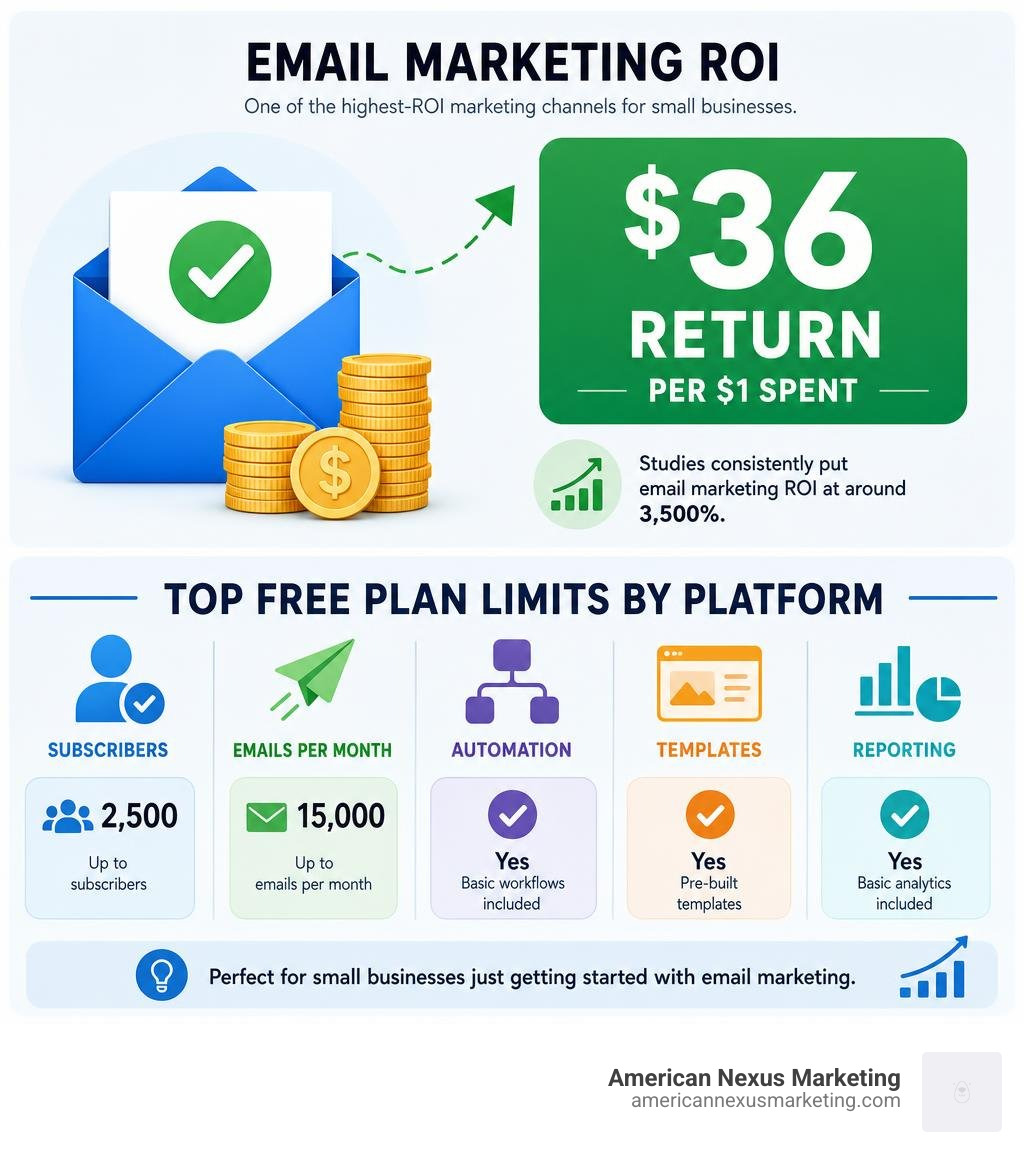
| Budget-conscious starters | Sender | Generous free tier (2,500 subs, 15k emails/mo) |
| E-commerce stores | Omnisend | Cart abandonment, Shopify integration |
| Newsletter creators | Kit | Up to 10,000 free subscribers |
| Automation-first | Brevo | Free automation workflows |
| AI-assisted, hands-off | Nudge | Writes and schedules emails for you |
| Privacy-focused | Mailpro | Swiss-hosted, GDPR-native, pay-per-send |
Email is one of the highest-ROI marketing channels available to small businesses. Studies consistently put email marketing ROI at around 3,500% — that’s roughly $36 back for every $1 spent.
And yet, most solo founders either skip it entirely or start and quit. Why? The tools feel overwhelming, the free plans seem too limited, and it’s hard to know where to begin.
Here’s the thing: you don’t need a marketing team. You don’t need a big budget. You just need the right tool matched to your business size and goals.
This guide cuts through the noise and shows you exactly which platforms are worth your time in 2026.
Key Features of the Best Email Marketing Tool for Small Business
When you are starting out, it is incredibly easy to get distracted by shiny features you will never use. You do not need enterprise-grade multivariate testing or complex SQL-based database queries. You need a platform that helps you talk to your customers, look professional, and save time.
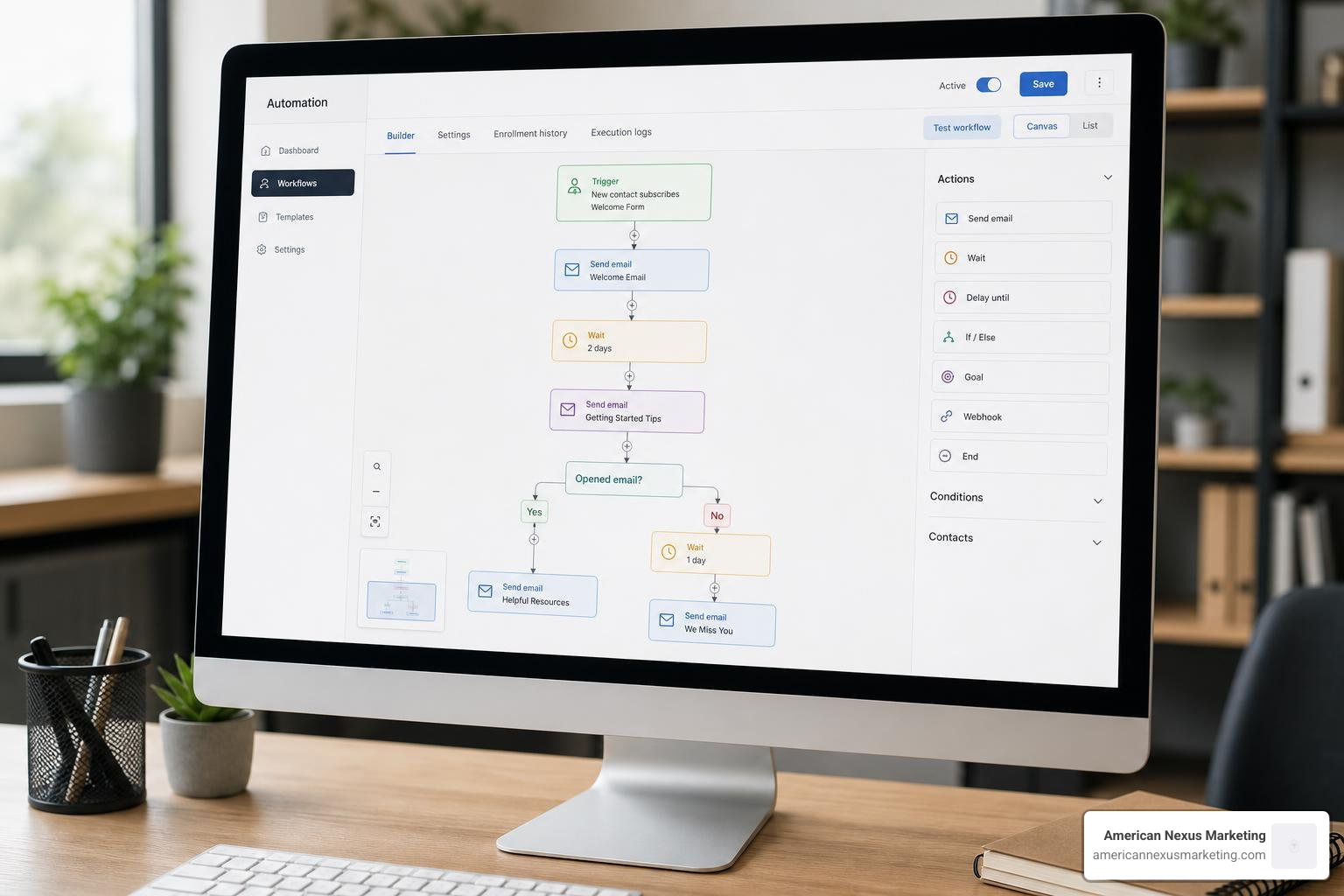
To find the best email marketing tool for small business success, we recommend focusing on these core capabilities:
- Trigger-Based Automation: This is the magic that makes email marketing work while you sleep. When a new subscriber signs up, they should automatically receive a welcome email. If a customer leaves items in their shopping cart, an automated reminder should nudge them to complete the purchase.
- Dynamic Segmentation: Instead of sending the same generic email to everyone, segmentation lets you group your subscribers. You can separate new sign-ups from VIP repeat buyers, or group contacts by their geographic location or past purchase history.
- High Deliverability Rates: An email campaign is useless if it ends up in the spam folder. The top-tier platforms actively manage their server reputations and provide built-in authentication tools to ensure your emails actually land in the inbox.
- Mobile Responsiveness: Over half of all emails are opened on mobile devices. Your chosen tool must offer templates that automatically shrink, stack, and format beautifully on smartphones and tablets.
- A/B Testing: This allows you to send two different versions of an email (usually testing two different subject lines) to a small percentage of your list. The winning version is then automatically sent to the rest of your subscribers, helping you systematically improve your open rates.
- Drag-and-Drop Editors: You should not need to write a single line of HTML code to build a gorgeous newsletter. A visual, drag-and-drop builder allows you to pull in images, text blocks, buttons, and social links in seconds.
Essential Features for Beginners
If you are a solo founder operating out of your spare bedroom, your primary constraint is time. You do not have hours to spend learning complex software.
For beginners, the most critical feature is usability. Look for platforms that offer an intuitive user interface and a rich library of pre-designed, high-quality templates. You want to be able to pick a template, swap in your logo and text, and hit send in under 15 minutes.
Another overlooked but essential beginner feature is contact management and automated list cleaning. As you collect email addresses, some will inevitably be typos, while other subscribers will become completely inactive over time. Sending emails to dead accounts hurts your deliverability. The best beginner tools will automatically flag bounce-backs and make it simple to prune inactive contacts, keeping your sender reputation pristine without manual headache.
Critical Integrations for E-commerce and CRMs
Your email marketing tool should not exist on an island. It needs to talk to the other software running your business.
For e-commerce stores, native integrations with platforms like Shopify and WooCommerce are non-negotiable. These integrations allow your email software to see what your customers are buying in real-time. This data powers automated product recommendations, post-purchase feedback requests, and cart abandonment sequences.
For service-based businesses, a seamless sync with your Customer Relationship Management (CRM) tool is vital. When a lead moves from “prospect” to “paying client” in your CRM, your email platform should instantly update their tags so they stop receiving sales pitches and start receiving onboarding emails.
Finally, look for tools that support social media retargeting integrations. This allows you to sync your email subscriber segments directly with platforms like Meta (Facebook and Instagram). You can then run highly coordinated ad campaigns targeting the exact people who just opened your latest newsletter.
Evaluating Free Plans vs. Paid Upgrades
Many small businesses start on a free plan, which is a fantastic way to test a platform’s editor and build an initial audience without upfront costs. However, not all free plans are created equal. Some offer generous subscriber limits but restrict automation, while others give you advanced features but severely limit how many emails you can send each month.
| Email Platform | Free Subscriber Limit | Monthly Sending Allowance | Key Free Features Included | Major Paid Upgrade Triggers |
|---|---|---|---|---|
| Sender | 2,500 contacts | 15,000 emails | Basic automations, forms | Exceeding 2,500 contacts |
| Brevo | 100,000 contacts | 9,000 emails (300/day limit) | Marketing automation, SMS | Removing daily sending cap |
| Kit | 10,000 contacts | Unlimited sends | Landing pages, opt-in forms | Advanced automations, paid newsletters |
| EmailOctopus | 2,500 contacts | 10,000 emails | Landing pages, basic templates | Removing branding, list growth |
| Omnisend | 250 contacts | 500 emails | E-commerce workflows, SMS | Exceeding 250 contacts |
| Mailchimp | 250 contacts | 500 emails | Basic templates, forms | Exceeding 250 contacts, advanced journeys |
Limitations of Free Email Marketing Software
While free plans are an excellent starting point, they always come with strings attached. The most common limitation is forced branding. Almost every free plan requires you to display the platform’s logo in the footer of every email you send. While not a dealbreaker, it can look slightly less professional to your clients.
Furthermore, many platforms restrict your access to customer support on their free tiers. For example, Mailchimp restricts free users to very limited support resources, leaving you to troubleshoot issues on your own.
You must also watch out for restricted automation and segmentation. You might be allowed to collect 1,000 subscribers for free, but the platform may lock the ability to send multi-step automated email sequences behind a paid paywall. Lastly, hard daily or monthly sending caps—like Brevo’s limit of 300 emails per day—can prevent you from sending a single, coordinated broadcast to your entire list once your audience begins to grow.
When to Upgrade to a Paid Email Service
Knowing when to open your wallet and upgrade to a paid plan is crucial. We recommend upgrading when you hit any of the following milestones:
- You outgrow your free subscriber limits: If your list is growing organically, do not pause your lead generation just to stay on a free plan. The revenue generated from a larger, engaged list will easily cover the monthly software cost.
- You need advanced, multi-step automation: If you want to build complex customer journeys—such as a 5-part educational email course that pitches a product at the end—you will likely need a paid plan.
- You want to establish professional brand authority: Upgrading allows you to remove the provider’s branding from your footers and connect a custom sending domain.
- You need to configure custom domain authentication (SPF, DKIM, and DMARC): Setting up these protocols is essential for avoiding spam filters, and most platforms require a paid tier or custom domain connection to fully authorize your sending domain.
Top Platform Categories for Small Businesses in 2026
Choosing the best email marketing tool for small business growth in 2026 depends heavily on your primary business model and bottleneck. A local service provider has completely different software needs than an e-commerce giant or a digital content creator.

Finding the Best Email Marketing Tool for Small Business Automation
If your biggest bottleneck is time, you should look toward platforms that leverage artificial intelligence to do the heavy lifting for you.
Traditional email tools give you a blank canvas. They expect you to write the copy, design the layout, configure the triggers, and schedule the send. For a busy solo founder, this often leads to “newsletter guilt”—where you start a campaign with great intentions but abandon it because you simply do not have the hours to maintain it.
This is where autonomous email marketing platforms are changing the game. A prime example is Nudge: Email marketing that runs itself.
Instead of requiring you to build campaigns from scratch, Nudge acts like an autonomous marketing assistant. It analyzes your website, past emails, and product descriptions to learn your unique brand voice. It then writes the copy, designs the mobile-responsive layout, and schedules the sends for you. All you have to do is log in, review the drafted campaign, and click approve.
Nudge offers a flat-rate pricing model of $49/month for unlimited contacts and sends after a 14-day free trial. This is incredibly refreshing in an industry where most traditional platforms penalize your success by charging you more money the moment your subscriber list grows.
Choosing the Best Email Marketing Tool for Small Business Privacy Compliance
If you operate in an industry with strict data handling requirements, or if you serve clients in regions with heavy privacy regulations like the European Union, data sovereignty and compliance should be your top priorities.
Many mainstream US-based email platforms store your customer data on servers subject to changing international surveillance and data-sharing laws. Furthermore, they almost all charge you based on the total number of contacts in your database—meaning you pay for inactive subscribers who haven’t opened an email in years.
For privacy-conscious businesses, we highly recommend Mailpro™ — Email Marketing That Converts. Privacy Built In..
Mailpro is hosted entirely on secure Swiss servers, meaning your customer data is protected by strict Swiss data privacy laws and is fully GDPR-compliant by default. Beyond its robust security, Mailpro stands out because of its transparent, pay-per-send billing model. Instead of charging you a monthly fee based on your contact list size, Mailpro allows you to purchase email credits. You only pay for the actual emails you send, ensuring your subscription costs do not automatically skyrocket as your list grows.
Frequently Asked Questions about Small Business Email Marketing
Which email marketing tool is easiest for beginners with no technical experience?
For absolute beginners, we recommend platforms like Mailchimp or iContact. Both platforms feature highly intuitive drag-and-drop editors that require zero coding knowledge. They offer extensive libraries of pre-designed templates where you can simply click to edit text and upload images.
If you want an even simpler, text-focused newsletter layout, platforms like Audienceful or Loops offer clean, Notion-style writing interfaces that remove the visual clutter of traditional graphic-heavy email builders.
How do deliverability rates and spam filters affect small businesses?
Deliverability is the percentage of your sent emails that successfully land in your subscribers’ primary inboxes rather than their spam or promotions folders. If your deliverability drops, your open rates will plummet, and your marketing efforts will go to waste.
Spam filters are highly sensitive. To protect your deliverability, you must:
- Use double opt-in: This requires new subscribers to click a confirmation link in their email before being added to your list, proving they own the address.
- Set up domain authentication: Configure SPF, DKIM, and DMARC records with your domain registrar to prove to inbox providers (like Gmail and Yahoo) that you are a legitimate sender.
- Keep your list clean: Regularly remove inactive subscribers who haven’t opened an email from you in over six months. High bounce rates and low engagement levels signal to spam filters that your content is unwanted.
Is email marketing still worth the investment for solo founders in 2026?
Absolutely. In 2026, relying solely on social media algorithms to reach your audience is highly risky. When you build a following on platforms like Instagram, TikTok, or LinkedIn, you do not own those channels. A single algorithm shift or account suspension can instantly cut off your access to your customers.
Your email list is an owned channel. No third-party platform can stand between you and your subscribers. Combined with an average ROI of 3,500%, email marketing remains the most reliable, cost-effective way for solo founders to build trust, nurture leads, and drive repeat sales.
Conclusion
Choosing the best email marketing tool for small business growth doesn’t have to be a stressful, drawn-out decision. If you want a traditional, easy-to-use visual editor, start with a user-friendly platform like Mailchimp or Sender. If you want your email marketing completely handled for you using AI, try an autonomous tool like Nudge. And if data privacy and pay-per-send pricing are your top concerns, Mailpro is your best bet.
At American Nexus Marketing, we specialize in providing practical, jargon-free, checklist-driven digital marketing guidance tailored specifically for low-budget, solo-founder teams. We believe that you don’t need a massive budget or technical expertise to compete and win online.
Ready to take your digital marketing to the next level? Head over to our comprehensive guide to Compare top email platforms for 2026 and find the perfect match to scale your business today!
Pingback: Email Campaign Process Flow: Proven Guide