
Free vs. Paid: Choosing a Low Cost CRM Software for Small Business
#
If you’re comparing low cost CRM software for small business, here are the best options available right now:
| CRM | Free Plan | Paid Plan Starts At | Best For |
|---|---|---|---|
| HubSpot | Yes (2 users, 1,000 contacts) | $15/user/month | Growing teams needing AI tools |
| Zoho CRM | Yes (3 users, 5,000 records) | $14/user/month | Budget-conscious small teams |
| Freshsales | Yes (3 users, 24/5 support) | $9/user/month | Teams needing live support |
| Bitrix24 | Yes (unlimited users) | $49/month for 5 users | Larger free teams |
| EngageBay | Yes (15 users, 250 contacts) | $12/user/month | Multi-pipeline views |
| Less Annoying CRM | No (30-day trial) | $15/user/month flat | Simplicity-first teams |
| HelloGrowthCRM | Yes (200 leads, 50 accounts) | $12/user/month | Solo founders |
| GetFreeCRM | Yes (3 users, 1,000 contacts) | $29/user/month | SMBs wanting all-in-one |
Most small business owners start tracking customers in a spreadsheet. It works — until it doesn’t.
You miss a follow-up. A deal falls through the cracks. You spend 20 minutes hunting for a client’s phone number before a call.
That’s when a CRM starts to make sense. But a lot of CRM software is built for enterprise teams with big budgets and IT departments. The pricing is confusing, the features are overwhelming, and the free trials expire before you’ve figured out where the settings are.
The good news: there’s a whole category of genuinely affordable CRM tools built specifically for small businesses and solo founders — some even free forever, not just for 14 days.
This guide cuts through the noise. We compare the top low-cost CRM options side by side — pricing, free plan limits, key features, and the hidden costs most review sites don’t mention — so you can pick the right one without wasting time or money.
Discover more about low cost crm software for small business:
When you are looking for a low cost CRM software for small business, the first big decision you will face is whether to start with a free-forever tier or jump straight to a budget-friendly paid plan.
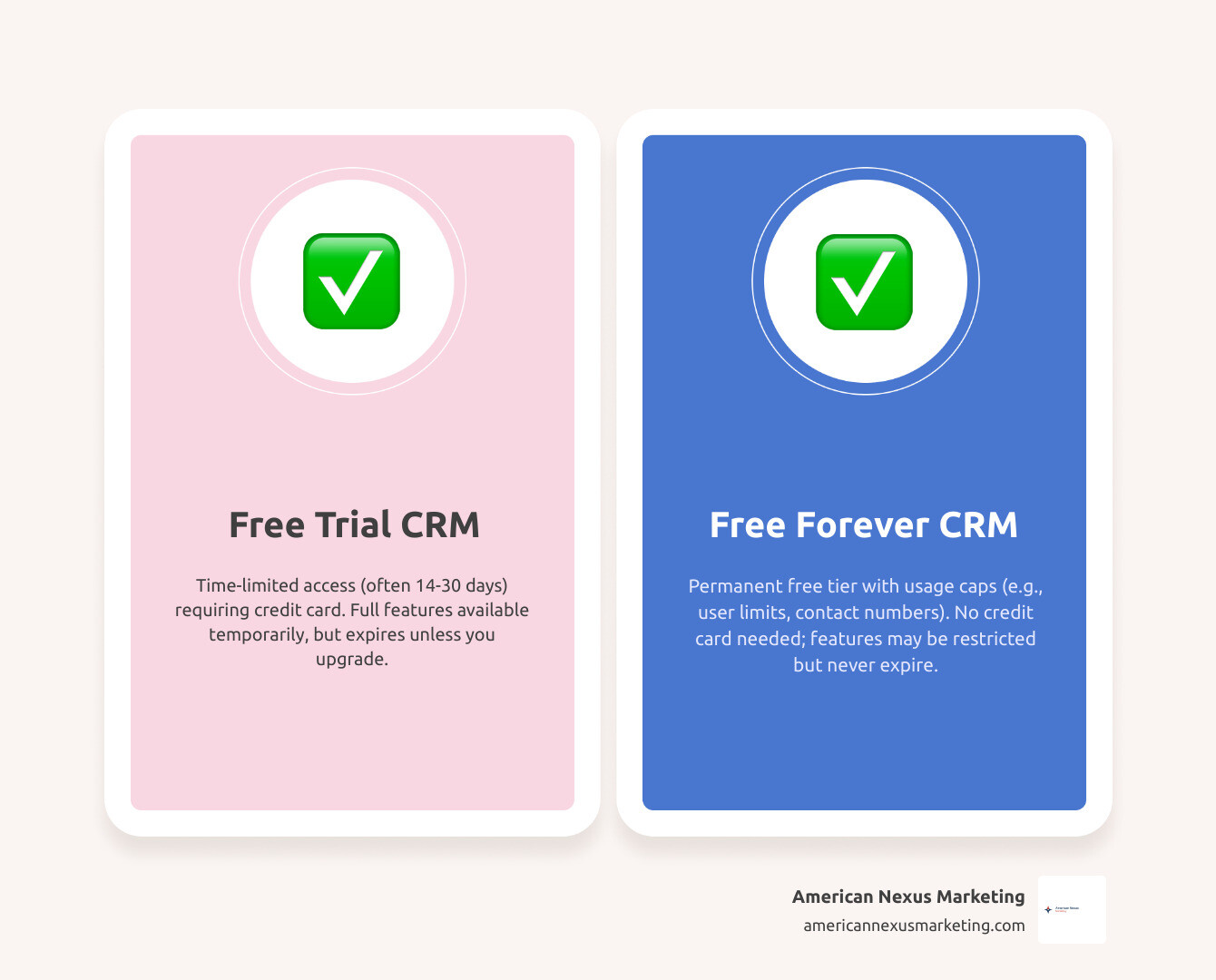
Many platform providers offer a “free forever” tier. This is a permanent product tier with no expiry date and no credit card required. It is designed to let you get comfortable with the software and manage a baseline workflow. However, “free forever” plans always come with distinct boundaries:
- User Caps: Many platforms limit their free tiers to 2 or 3 users (e.g., HubSpot limits to 2 users, Freshsales to 3 users, and GetFreeCRM to 3 users).
- Contact/Record Limits: You might be limited to 500 records (like Bigin by Zoho’s free version), 1,000 contacts (like HubSpot or GetFreeCRM), or 200 leads (like HelloGrowthCRM).
- Feature Gating: Advanced features—such as workflow automation, sales forecasting, custom reporting, and AI tools—are typically locked behind paid tiers.
A free trial, on the other hand, is a temporary pass to a premium, fully featured paid plan. These typically last 14 to 30 days. Once the trial ends, you must pay to keep using the software, or your account will be downgraded or suspended.
Understanding these boundaries is crucial. If your team is growing quickly, starting with an overly restrictive free plan can lead to a sudden bottleneck. To learn how to budget effectively for your transition, read our guide on The Real CRM Software Cost for Small Business and How to Avoid Overpaying.
Hidden Costs and Gotchas to Watch Out For
Low-cost and free CRMs are fantastic, but they often come with hidden “gotchas” that can catch a small business off guard. Here is what you need to look out for:
- Onboarding and Setup Fees: While simple tools have zero setup fees, some larger platforms quietly charge mandatory onboarding fees when you upgrade to their mid-level tiers.
- Forced Branding: Free plans often insert the vendor’s logo on your outgoing emails, booking pages, and web forms. Removing this branding usually requires upgrading to a paid seat.
- Per-Module Pricing: Some providers charge separate fees for marketing, sales, and customer service tools. What looks like a cheap $15 plan can quickly double if you need multi-department functionality.
- Data Storage and Contact Overages: Exceeding your plan’s contact limit or document storage space can trigger expensive automatic upgrades or overage fees. Always check how much additional storage costs.
Data Migration and Vendor Lock-in
One of the biggest fears small business owners have is getting locked into a platform because their data is held hostage. If you start with a free or low-cost CRM, you must ensure that getting your data out is just as easy as putting it in.
Before committing to any tool, verify that it allows you to export your entire database—including contact history, notes, and deals—into a standard CSV or Excel format at any time. For security, look for platforms that secure your customer data using industry-standard 256-bit AES encryption at rest and TLS 1.3 in transit.
Key Features to Look For in Budget-Friendly CRMs
When shopping for an affordable CRM, do not get distracted by flashy enterprise features you will never use. Instead, focus on the core tools that save your team time and keep deals moving forward.
Your CRM should serve as a single source of truth. It must organize your contact management, track your active pipelines, and integrate natively with your daily communication tools. To understand why email connectivity is the absolute bedrock of this workflow, check out our article on Why You Need CRM Software with Email Integration Right Now.
Essential Tools for a Low Cost CRM Software for Small Business
To get the most out of your investment, make sure your chosen platform includes these essential features:
- Unified Contact Database: A centralized place to store customer details, communication history, and internal notes.
- Visual Sales Pipeline: A drag-and-drop Kanban board that makes it easy to visualize where every deal sits in your sales cycle.
- Mobile App Access: The ability to update deals, log calls, and view client details on the go using your smartphone.
- Calendar and Task Syncing: Automatic integration with Google Workspace or Microsoft Outlook to schedule meetings and set daily follow-up reminders.
If your small business relies heavily on email marketing campaigns, you will also want to make sure your new CRM plays nicely with your existing newsletter software. Learn how to connect these systems in our guide on How to Find the Best CRM Software Integrated with Mailchimp.
The Role of AI in a Low Cost CRM Software for Small Business
AI is no longer reserved for massive corporations with unlimited budgets. In 2026, even entry-level and free CRM plans are rolling out built-in AI capabilities to help lean teams work smarter.
For example, HubSpot includes its Breeze Assistant on its free tier to help write emails and build chatbots. Meanwhile, Salesforce offers its Starter Suite CRM: Try Free Today | Salesforce AP, which starts at $25/user/month and includes built-in sales, service, and marketing AI features out of the box with zero complex IT setup.
These modern AI tools can automatically transcribe video calls, draft highly personalized customer follow-ups, and score your leads so you can focus your energy on the prospects most likely to buy.
Top Low-Cost and Free CRM Providers Compared
Choosing the right platform depends entirely on your team’s size, budget, and workflow. Let’s look at how the top low-cost and free CRM providers stack up for small businesses.
To see how these budget-friendly tools compare specifically for teams of 1 to 15 people, take a look at our comprehensive Small Team CRM Guide Free and Cheap Tools That Actually Work.
Simple and Transparent CRM Solutions
If you are tired of complex software, hidden fees, and aggressive upgrade prompts, there are companies doing business differently.
A prime example is Less Annoying CRM | Simple Contact Management for Small Businesses. True to its name, this platform is built specifically for small businesses that have outgrown spreadsheets but find traditional CRMs too complicated.
It costs a flat $15 per user, per month, with no contracts, no setup fees, and free human support for everyone. Because they are family-owned and self-funded, they do not face investor pressure to raise prices or force unnecessary features onto their 10,000+ small business customers.
Modern CRMs with Generous Free Tiers
For solo founders and early-stage startups that need a powerful free starting point, several modern platforms offer excellent value:
- HelloGrowthCRM: Their free plan is highly transparent, offering 200 leads, 50 accounts, 1 Kanban pipeline, a 500-task board, and 5 email templates with no credit card required. When you are ready to scale, their paid plan is just $12/user/month ($10/month billed annually) and unlocks advanced features like AI lead scoring, a built-in dialer, and WhatsApp integration. Check out their affordable CRM software — Free CRM | HelloGrowthCRM plan to get started.
- GetFreeCRM: Trusted by over 50,000 active users, this platform offers a robust free tier for up to 3 users and 1,000 contacts. Their paid Growth plan starts at $29/user/month for up to 15 users and 25,000 contacts, delivering visual pipelines, workflow automation, and built-in calling. Explore their options at GetFreeCRM — The Modern CRM for Small & Medium Businesses.
- Bigin by Zoho: Specifically designed for solopreneurs and micro-businesses, Bigin offers a free version capped at 500 records. It provides a simple, pipeline-centric design that is incredibly easy to navigate. Learn more at www.bigin.com.
Frequently Asked Questions about Low-Cost CRMs
What is the difference between a free CRM and a free trial?
A free CRM is a permanent, zero-cost tier of a software product that never expires, though it comes with strict limits on users, contacts, or features. A free trial is a temporary (usually 14 to 30 days) pass to try a fully unlocked, paid plan for free before deciding whether to subscribe.
How easy is it to migrate data from a free CRM to a paid plan?
If you stay within the same platform, upgrading from free to paid is instant and does not require any data migration. If you decide to switch vendors, you can easily export your data as a CSV file from your old CRM and upload it directly into your new one.
Which CRM is best for a very small team of 1 to 3 users?
For solopreneurs and teams of 1 to 3 users, HelloGrowthCRM, Bigin by Zoho, and Less Annoying CRM are exceptional choices. They offer simple interfaces, highly usable free plans or low flat rates, and do not require technical expertise to set up.
Conclusion
Finding the right low cost CRM software for small business in 2026 does not mean you have to settle for stripped-down, frustrating tools. Whether you choose a highly structured free-forever plan like HelloGrowthCRM, a flat-rate simple tool like Less Annoying CRM, or an AI-powered suite like Salesforce Starter, there is an option designed to fit your unique workflow and budget.
At American Nexus Marketing, we provide practical, jargon-free, checklist-driven advice to help solo founders and low-budget small businesses succeed online.
Ready to make your choice and take your customer relationships to the next level? Read our expert breakdown to Find the Best CRM for Your Small Business and start growing your revenue today!